


Woodworkers often struggle with burning along rip cuts, persistent blade marks, or stock that binds unexpectedly against the fence. While many operators suspect a dull blade or an underpowered motor, the real culprit is frequently an out-of-square machine assembly. Learning how to calibrate table saw transforms rough, frustrating cuts into clean, glue-ready edges while significantly reducing workshop safety hazards. Taking the time to dial in your equipment ensures repeatable results across hardwood, sheet goods, and joinery work.
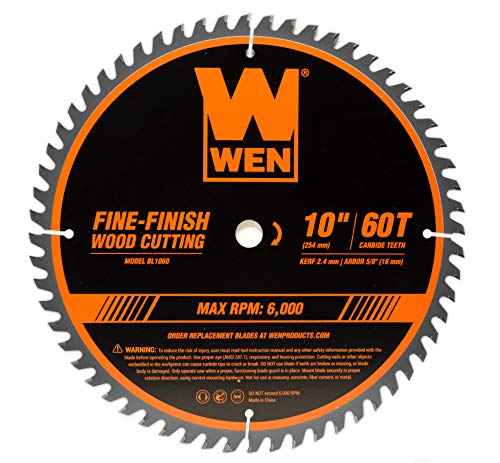
Achieving dependable accuracy requires establishing a consistent geometric relationship between the miter slots, saw blade, rip fence, and bevel stops. When these elements operate in harmony, stock glides smoothly past the teeth without pinching or wandering off the cutline. Selecting high-grade blades, such as dedicated carbide saw blades for specialized materials, only delivers optimal results when the arbor and trunnions sit dead square. With the right alignment tools and a methodical calibration routine, any cabinet, hybrid, or contractor saw can achieve dependable precision.

Pros
- Precision aluminum construction ensures accurate and repeatable height measurements
- Clear dual-scale markings make it easy to set blade or bit height quickly
- Compact and lightweight design with a hanging hole for convenient storage
- Sturdy enough to stand upright, allowing hands-free adjustment
- Versatile for both table saws and router tables, covering common height ranges
Cons
- Limited to 1/8 and 1/4 inch increments, which may not suit all precision needs
- Aluminum may dent or scratch with heavy shop use over time
- Small size might be easy to misplace in a cluttered workshop
The Dreyoo Table Saw Height Gauge is a straightforward, practical tool designed to help woodworkers set blade or router bit height accurately. Made from quality aluminum, this gauge allows you to measure from 1/8 inch up to 2 inches in clear increments. It features two measurement scales: the left side is marked in 1/8 inch steps for table saws, while the right side uses 1/4 inch increments for router tables. This dual-scale design makes it a versatile addition to any workshop, whether you're a DIY homeowner tackling weekend projects or a professional contractor needing consistent cuts day in and day out.
In real-world use, this gauge shines when you need to quickly set blade height for repetitive cuts. Instead of guessing or using a tape measure, you simply place the gauge on the table saw or router table, adjust the blade or bit until it touches the desired mark, and you're ready to go. The 1/4 inch thick aluminum construction gives it enough heft to stand upright on its own, which is a nice convenience when you're making adjustments. The clear, laser-etched markings are easy to read, even in less-than-ideal lighting, helping you achieve accurate results every time.
Build quality is solid for the price point. The aluminum body feels sturdy enough for regular shop use, though it's not indestructible - like any aluminum tool, it can get scratched or dented if dropped or banged around. That said, it's lightweight at just 0.19 pounds, so it won't add bulk to your tool collection. The compact size (roughly 5 x 4 inches) means it fits easily in a tool box or apron pocket, and there's a small hole on one end for hanging it on a pegboard hook. This makes storage simple and keeps it within reach when you need it.
One realistic limitation is that the gauge only offers 1/8 and 1/4 inch increments. For most woodworking tasks, these steps are perfectly adequate, especially for setting blade height for dados, rabbets, or general ripping. However, if you need finer adjustments (like 1/16 or 1/32 inch), you might need a more precise tool. Also, the aluminum surface, while durable, may show wear over time if used heavily in a busy professional shop. For the DIYer or occasional user, this shouldn't be a concern.
Overall, the Dreyoo Table Saw Height Gauge is a practical, affordable solution for anyone who wants to improve the accuracy and efficiency of their table saw or router table setup. It's especially well-suited for woodworkers, cabinet makers, and DIY enthusiasts who value repeatable cuts without the fuss. If you're looking for a simple, no-nonsense way to dial in blade height, this gauge is a solid choice that won't break the bank.

Pros
- High measurement accuracy with 0.0005 inch resolution
- Durable CNC-machined aluminum construction that resists wear
- Easy installation with spring plungers and included hex wrenches
- Versatile compatibility with multiple workshop machines
- Includes a practical storage case and all necessary accessories
Cons
- Requires a miter groove width of at least 3/4 inch (19mm) - not universal
- Digital indicator requires battery replacement over time
- Some users may experience a learning curve for achieving repeatable readings
The Neoteck 0-1 inch digital dial indicator gauge is a specialized alignment tool designed for workshop machinery like table saws, band saws, and drill presses. It is particularly suited for DIY homeowners, woodworkers, mechanics, contractors, and professional tradespeople who need to ensure precise blade-to-fence squareness, arbor run-out, and miter slot alignment.
This gauge delivers accurate measurements with a resolution of 0.0005 inches (0.01 mm), allowing you to fine-tune your equipment for cleaner cuts and safer operation. The digital display is easy to read, with a zero-setting function and switchable inch/millimeter units, making it straightforward to calibrate without manual calculations.
Build quality is solid, featuring CNC-machined anodized aluminum bars that fit snugly into standard 3/4 inch miter slots. The adjustable spring plungers keep the bar tight even in slightly uneven slots, reducing wobble and ensuring repeatable readings. The included hex wrenches and nuts make setup quick, though the bars are compatible only with grooves that are at least 3/4 inch wide or can be adjusted for wider slots.
Storage is convenient with the included plastic case, which holds the gauge, bars, and accessories securely. The case is compact enough to fit in a toolbox or on a shelf, keeping everything organized for your next project. Maintenance is minimal — just keep the bars clean and replace the battery in the digital indicator when needed.
A realistic limitation is that this gauge will not work with miter slots smaller than 3/4 inch, which may exclude some compact or benchtop saws. Also, achieving consistent readings takes a bit of practice, as the digital indicator is sensitive to contact pressure. However, once you get the hang of it, it becomes a valuable tool for precision setup.
Overall, the Neoteck digital dial indicator gauge offers excellent value for DIYers and professionals who want to improve the accuracy of their workshop machines. At a reasonable price point, it provides the measurement precision needed for high-quality woodworking, metalworking, and general shop alignment tasks.

Pros
- Eliminates frustrating miter bar slop with its self-adjusting design, saving time and hassle.
- High precision with .001" increments gives confidence in alignment accuracy.
- Simple to assemble and use, even for those new to machinery calibration.
- Works on multiple machines (table saw, jointer, planer) for great versatility.
Cons
- Limited to 1" travel on the dial indicator may not suit all larger alignment tasks.
- Miter bar size is fixed for 3/8" x 3/4" slots, so wider tracks may require adapters.
- Premium price compared to basic single-purpose alignment tools, but the convenience may justify it.
The Peachtree Woodworking A-Line-It Basic is a thoughtful alignment tool designed to take the guesswork out of calibrating your table saw, jointer, or planer. At its core, it's a smart miter bar and dial indicator combo that lets you measure blade run-out, fence parallelism, and depth of cut with precision down to one thousandth of an inch. For woodworkers, DIY homeowners, and small shop owners who value accuracy, this kit brings professional-grade setup within easy reach.
What sets the A-Line-It Basic apart is its self-adjusting Smart Bar. Instead of fighting with a loose miter bar that requires constant shimming in uneven slots, this bar automatically expands to fit snugly. Based on user feedback, this feature alone can cut alignment time in half, letting you spend more time making sawdust and less time fiddling with tools. The included 1-inch dial indicator reads in .001-inch increments, giving you the resolution needed for fine-tuning blade alignment, fence squareness, and jointer knife height.
Build quality appears solid for the price point. The mounting bar and miter groove bar are machined to fit most standard 3/8-by-3/4-inch table saw slots. The indicator has a smooth magnetic base that holds steady during measurements. While it’s not heavy-duty enough for a production shop running all day, it’s more than capable for the hobbyist or serious DIYer. The kit comes with hardware, a hex wrench, and clear instructions, so setup is straightforward even if you've never calibrated a saw before.
Versatility is another strong point. You can use the A-Line-It Basic to check blade run-out, verify fence parallelism to the miter slot, and set jointer depth of cut. It also works for planer alignment, making it a multi-machine tool that earns its place in a well-organized workshop. Storage is simple – the small footprint (7.2 x 5.1 x 3 inches) means it can live in a drawer or on a shelf without taking up precious bench space.
That said, there are limitations. The dial indicator has only one inch of travel, which may not be enough for checking larger workpieces or deep cuts. The miter bar is sized for common table saw slots, so if your equipment has wider or non-standard tracks, you might need an adapter. And while the price is reasonable for the precision it offers, budget-conscious buyers may find cheaper alternatives that require more effort to use.
Overall, the Peachtree Woodworking A-Line-It Basic is a practical investment for anyone serious about woodworking accuracy. It’s especially suited for weekend woodworkers, custom furniture makers, and small shop pros who want reliable alignment without the complexity of expensive digital systems. If you value precision and efficiency in your workshop, this tool is well worth considering.

Pros
- Freestanding 1/4-inch thick body allows hands-free blade elevation adjustments
- Durable anodized aluminum build will not chip carbide tooth tips or rust in humid garages
- Dual-sided stepped layout accommodates both shallow table saw cuts and deep router passes
- Compact size and pre-drilled hanging hole make shop organization easy
Cons
- Restricted to standard 1/8-inch step increments without support for metric or micro-fractional offsets
- Manual stepped reference does not provide the continuous readout of a dial indicator
Setting precise cut depths on table saws and router tables often leads woodworkers to squint at standard rulers or fight with flexible tape measures. The Dreyoo Table Saw Height Gauge addresses this everyday workshop friction by serving as a dedicated, stepped reference block. Designed primarily for hobbyist woodworkers, cabinetmakers, DIY remodelers, and garage fabricators, this gauge aims to make height calibration both faster and noticeably more repeatable.
Measurement accuracy is where a dedicated setup block earns its place on the workbench. This model features stepped cutouts arranged along its perimeter, spanning from 1/8 inch up to 2 inches in 1/8-inch increments. The 1/8-inch to 1-inch section fits typical table saw blade heights for dados, rabbets, and groove cuts, while the taller section reaching 2 inches caters to deep router table setups. By placing the gauge directly over the blade or bit, users can raise the cutter until it lightly kisses the corresponding step, completely bypassing visual alignment errors.
The build quality centers on machined aluminum with a clean blue protective finish. Aluminum serves as an ideal material for cutting tool setup because it is sufficiently rigid to resist flexing while remaining soft enough to avoid chipping brittle carbide teeth on saw blades and router cutters. At approximately 1/4 inch thick, the gauge stands independently on flat cast iron or aluminum tables, allowing operators to keep both hands on adjustment wheels and locking levers.
Workshop organization and storage are well thought out despite the simple design. Measuring just under 4.5 inches long and 2.5 inches wide, the gauge slips effortlessly into an apron pocket or a shallow drawer organizer. A dedicated hanging hole located near the corner lets users park the tool on a nearby pegboard hook directly above the saw station, keeping it protected from accidental drops while ensuring it remains readily accessible.
There are practical limitations to keep in mind before choosing a stepped block. Because the heights are machined at fixed 1/8-inch intervals, this tool does not accommodate odd metric thicknesses or non-standard imperial fractions without adding supplemental shims. For woodworkers who regularly cut non-standard joinery or require micro-fine decimal adjustments, pairing this tool with brass setup bars or a digital dial indicator may still be necessary.
For everyday garage woodworking, cabinetry joinery, and repetitive router table tasks, the Dreyoo Height Gauge represents a practical, low-maintenance setup aid. It eliminates the guesswork of blade height adjustments, holds up well to dusty workshop environments, and delivers reliable consistency for anyone looking to streamline their cutting workflows.
Standard layout rulers often introduce parallax error because the user must view the blade tip against graduations from an angle. The stepped design of this height gauge allows the tooth of the blade or the apex of a router bit to make physical contact with the underside of the selected step, confirming height with tactile feedback rather than estimation.
The dual measurement profile provides dedicated ranges for different machinery tasks. The primary table saw range covers up to 1 inch, which handles standard tenon cheeks, dadoes, and shallow slotting. The extended steps up to 2 inches give router operators ample clearance for raised panel cutters, mortising bits, and deep profiling profiles without swapping out tools.

Pros
- Versatile 2-in-1 tool saves money and storage space.
- High precision measurement improves accuracy of cuts and setups.
- Sturdy build quality with CNC-machined aluminum and brass.
- Easy to install and use on standard T-slot tracks.
- Adjustable scale reduces calculation errors during thin rips.
Cons
- No storage case included, so careful handling is needed to protect the dial indicator.
- Only fits 3/8x3/4 inch T-slot tracks, limiting compatibility with non-standard tracks.
- Dial indicator may require delicate handling to maintain calibration.
The TOOLCOOL Table Saw Alignment Gauge Calibrator Dial Indicator is a clever 2-in-1 tool that combines a precision alignment gauge with a thin rip jig. Designed for woodworkers, DIY homeowners, and workshop users, it helps you dial in your table saw blade and fence for perfect cuts, then quickly converts to a jig for safe, repeatable narrow strip cutting. This makes it a practical addition for anyone who values accuracy and efficiency in their shop.
In terms of performance, the dial indicator measures from 0 to 10mm with 0.01mm resolution, giving you the precision needed to align your blade parallel to the miter slot or fence. The adjustable scale simplifies zeroing, so you can quickly set reference points without complicated math. When you remove the indicator, the base becomes a thin rip jig that guides stock safely through the blade, reducing kickback risk and ensuring consistent strip widths from 1.5 to 6.4 inches. The two-way bearing lets you use the jig on either side of the blade, adding flexibility for different setups.
Build quality is impressive for the price. The gauge is CNC-machined from aluminum alloy and brass, with an anodized finish that resists corrosion and wear. The components fit together snugly, and the sliding action is smooth without play. This robust construction should hold up well in a busy workshop or garage environment, whether you're a hobbyist or a professional contractor.
Setup is straightforward: the gauge slides into a standard 3/8x3/4 inch T-slot track and locks in place. There's no complicated assembly, and the instructions are clear. Storage is simple since the tool is compact, but you'll want to keep the dial indicator protected when not in use, as it's a precision instrument. Some users might wish for a dedicated case, but the small footprint means it can easily fit in a drawer or toolbox.
One realistic limitation is that the gauge only works with T-slot tracks of that specific size, so it won't fit some older or non-standard saws. Additionally, the dial indicator is delicate and could be damaged if dropped, so care is needed. However, for woodworkers who already have a T-slot table saw, router table, or band saw, this tool offers excellent value. It's a smart buy for anyone looking to improve cut accuracy and safety without spending a lot.

Pros
- Budget-friendly option that lets you repurpose an existing dial indicator
- Helps diagnose blade alignment and fence drift to improve workshop safety and cut quality
- Compact size makes it simple to store in a portable toolbox or shop cabinet
- Straightforward design with minimal components that could wear out over time
Cons
- Does not include a dial indicator, requiring users to supply their own compatible gauge
- May require slight adjustment or shimming to achieve a zero-play fit in non-standard miter slots
A properly tuned table saw is the centerpiece of any productive woodworking space, and this Table Saw Alignment Gauge provides the mechanical foundation needed to true up your equipment. Designed as a dedicated miter bar fixture, this tool allows craftspeople to attach their own dial indicator to inspect arbor runout, blade-to-slot parallelism, and rip fence alignment. It caters to woodworkers, cabinetmakers, DIY remodelers, and garage workshop enthusiasts who want furniture-grade accuracy without buying a redundant, expensive complete kit.
Achieving clean rip cuts and tight joinery depends entirely on having your saw blade and fence running dead parallel to the miter slot. Misalignment leads to ugly burn marks, bogging motors, uneven cuts, and the constant hazard of workpiece kickback. By riding along the miter slot, this alignment bracket lets you reference your blade teeth at the front and back of the blade plate. It also makes quick work of checking whether your rip fence stays true along its entire travel across the cast iron top.
The build emphasizes functional simplicity and compact dimensions. Measuring roughly seven inches in length, the bar provides enough stability to guide your measuring setup without binding in the slot or taking up excessive space on the table. The rigid construction holds an attached indicator securely, minimizing flex so your readings reflect actual saw geometry rather than jig deflection. Because it takes up virtually no room, it slips right into a drawer, tool roll, or portable technician box.
Setup is direct, though buyers must keep in mind that this item includes only the alignment fixture itself. You will need a standard dial indicator with a compatible mounting stem or lug back to complete the setup. Depending on the exact machining tolerances of your saw miter slot, you may find that minor shimming or tensioning helps achieve a snug, zero-play slide. Maintenance is practically effortless: simply keep the metal bar clean of sawdust, wipe away pitch, and apply a light coat of machine oil or paste wax to guard against corrosion.
For workshop owners who already have measuring instruments on hand, this calibration gauge is a sensible, budget-conscious addition to your maintenance arsenal. It eliminates the guesswork of squaring your saw, boosts cut accuracy, and promotes safer operation every time you power up your machine.
Tuning machinery down to thousandths of an inch makes an immediate difference in woodworking results. By establishing a rigid reference point against the miter slot, this alignment tool allows users to verify blade tilt angles, check arbor flange squareness, and detect bent saw plates with complete confidence.
Squaring the rip fence to the miter slot ensures workpieces feed smoothly past the blade without pinching against the rear teeth. Taking the time to run this diagnostic check after changing blades or moving a contractor saw restores factory-level accuracy and saves valuable hardwood from costly cutting errors.

Pros
- Sensitive 0.001-inch dial indicator provides clear, repeatable calibration readouts.
- Sturdy CNC-machined aluminum body resists flexing, corrosion, and workshop wear.
- Standard 3/4-inch miter bar fits smoothly into full-size table saw tracks.
- Improves workshop safety and cut quality by reducing stock binding and burning.
Cons
- Not compatible with compact jobsite saws that use proprietary or undersized miter slots.
- Dial indicator stem requires gentle handling and protection from heavy workshop impacts.
The TRUTOPWAY Table Saw Alignment Gauge is a dedicated machinery calibration accessory designed to check blade runout, arbor squareness, and rip fence parallelism. By pairing a responsive 0.001-inch dial indicator with a rigid mounting bar, this tool helps users dial in stationary power tools with precision. It serves woodworkers, furniture makers, DIY garage enthusiasts, and shop maintenance technicians who want clean, burn-free cuts.
In any woodworking setup, blade parallelism and fence alignment directly impact cut quality and workshop safety. Based on the product specifications, this gauge uses a sensitive dial indicator capable of tracking micro-adjustments down to a thousandth of an inch. Sliding smoothly along a standard miter channel allows you to verify that the front and back of the blade match the slot. Catching arbor runout or fence drift before cutting reduces stock binding, minimizes kickback hazards, and saves expensive hardwood boards from burn marks.
Durability and rigidity are essential for reliable measuring instruments. This tool features a CNC-machined aluminum alloy frame finished in an anodized red coating that protects against workshop moisture, rust, and surface wear. Unlike lighter plastic jigs that flex under slight hand pressure, the aluminum bar provides steady support while traversing the miter track. Its 9.13-inch by 6.1-inch layout strikes a practical balance between broad reach for large 10-inch blades and manageable clearance around splitters.
Setting up the gauge is straightforward since it relies on a standard 3/4-inch (19mm) miter bar footprint found on most contractor, hybrid, and cabinet table saws. The bar slides directly into the miter track without requiring specialized adapters, making it equally usable for checking band saw fences or router table setups. Maintaining the unit is simple: just keep the dial face clean of fine sawdust and store it inside a drawer or padded case to protect the indicator stem from accidental bumps.
While the tool excels on full-size equipment, it is not suited for portable benchtop saws that utilize non-standard, narrow, or tabbed miter slots. Users should also remember to check indicator zeroing periodically to maintain repeatable readings throughout the calibration process. For carpenters, cabinetmakers, and serious hobbyists aiming to tune their table saw to dependable tolerances, this gauge offers an accessible tuning solution that helps deliver smooth, accurate results.
Calibrating stationary machinery requires tight tolerances, and this gauge provides direct feedback through a 0.001-inch graduated dial indicator. The fine probe tip rests against the saw plate between the carbide teeth, registering tiny deviations as the blade rotates by hand.
This level of sensitivity makes it easy to diagnose bent arbor flanges, worn arbor bearings, or skewed trunnion assemblies. Having reliable visual confirmation allows woodworkers to make micro-adjustments to table mounting bolts and fence locking mechanisms with complete confidence.
This alignment tool is engineered to ride inside standard 3/4-inch wide by 3/8-inch deep miter tracks, which represent the universal standard across modern cabinet saws, hybrid saws, and cast-iron contractor saws.
Beyond table saws, the mounting bar functions inside miter channels on heavy-duty band saws, disc sanders, and router tables. However, prospective buyers should measure their miter channels first, as lightweight portable jobsite saws frequently use narrower proprietary tracks that will not accept this bar.

Pros
- High accuracy digital readout with 0.0005 inch resolution for precise adjustments
- Sturdy CNC-machined aluminum bar with adjustable fit for miter slots
- Easy zero setting and inch/mm conversion for flexible use
- Comes with a protective storage case for portability and organization
Cons
- Requires a 3/4 inch or wider miter groove, limiting compatibility with smaller tables
- Plastic digital indicator housing may not be as durable as all-metal alternatives
- Some users may find the setup process slightly time-consuming initially
For woodworkers and DIY enthusiasts who want their table saw, band saw, or drill press running at peak accuracy, the Neoteck Digital Dial Indicator Gauge is a practical addition to the workshop. This tool is designed to help align miter slots, blades, and fences with precision, which is essential for achieving clean, square cuts and reducing waste during projects.
The digital indicator offers a measurement range of 0 to 1 inch with a resolution of 0.0005 inch, which is more than enough for fine-tuning machinery. Its zero-setting function and switchable inch/mm display make it easy to work with different measurement systems. The CNC-machined anodized aluminum bar is adjustable and fits securely into standard 3/4 inch miter grooves. Two spring plungers help keep the bar snug in the slot, even if the groove varies slightly along its length, which improves stability during use.
Build quality is decent for the price point. The aluminum bar feels solid, though the digital indicator housing is primarily plastic. This is common in this price range and should be fine for occasional use in a home workshop or garage. The package includes a storage case that keeps the gauge and accessories organized and protected, which is a nice bonus for portability and longevity.
Setup is straightforward. You adjust the spring plungers once to fit your miter slot, and after that, the bar stays tight and ready for use. The digital indicator mounts to one of six holes on the bar, allowing you to position it based on your machine's geometry. This flexibility is useful for different setups, whether you are checking blade alignment on a table saw or drift on a band saw.
One limitation to note is that this gauge is designed for miter grooves that are at least 3/4 inch wide. If your saw uses a narrower slot, it won't fit. Also, while the digital indicator is accurate, it is not as rugged as a full-metal dial indicator, so careful handling is advised. For most home workshops and DIY projects, however, this tool provides reliable performance without breaking the bank.
Overall, the Neoteck digital dial indicator gauge is a solid choice for woodworkers, contractors, and garage users who need to calibrate their machines accurately. It is easy to use, reasonably durable, and comes with everything you need to get started. If you are looking for an affordable way to improve your saw's alignment and cut quality, this gauge is worth considering.
The Neoteck gauge features a CNC-machined anodized aluminum bar that feels sturdy and resists corrosion. The digital indicator has a plastic housing, which is typical for this price range. The spring plungers and adjustment screws are metal and function smoothly. The included storage case adds protection and helps keep the components organized.
The digital indicator measures from 0 to 1 inch with a resolution of 0.0005 inch (0.01 mm). This level of precision is suitable for aligning table saw blades, miter slots, and fences. The zero-setting function and inch/mm conversion make it easy to get accurate readings quickly. For most woodworking and metalworking tasks, this gauge provides reliable accuracy.
This gauge is designed for table saws, band saws, and drill presses with a miter groove width of 3/4 inch (19 mm) or more. The adjustable bar with spring plungers ensures a snug fit even in grooves with slight variations. It works with most standard workshop machinery, but users with smaller grooves should check compatibility before purchasing.
Calibrating Your Table Saw for Maximum Precision and Safety
Table saw calibration establishes a reliable reference system across the entire tool surface. The miter slot serves as the primary datum line from which every other critical component is positioned. When your blade, fence, and miter gauge share the exact same geometric axis, cutting becomes predictable, smooth, and noticeably safer.
Why Table Saw Alignment Matters for Cut Quality and Safety
A table saw operates by feeding lumber past a high-speed spinning disc with teeth configured to remove kerf material continuously. If the plane of the blade tilts relative to the miter slot or fence, the rear teeth strike the workpiece a second time on their upward rotation. This unwanted secondary contact creates unsightly burning on expensive hardwoods and tears out delicate face veneers. More seriously, it can lift the material from the cast iron top or wedge the board tightly against the rip fence, creating violent kickback.
Proper mechanical alignment eliminates lateral friction and keeps the wood tracking straight through the cut zone. Feed resistance drops immediately, allowing the motor to run cooler and maintain steady RPM throughout dense boards. Accurate calibration also prevents blade deflection, which often causes bowed cuts on wide panels or skewed shoulders on tenons. Investing an afternoon in aligning your machine produces noticeable dividends in both finished craftsmanship and daily operating safety.
Essential Measuring Tools for Workshop Machine Setup
Precision calibration requires measuring instruments that detect minute misalignments down to thousandths of an inch. A dial indicator mounted to a dedicated miter bar is the standard fixture for machine tune-ups. Systems such as the Peachtree Woodworking Supply A-Line-It Basic or the TRUTOPWAY Table Saw Alignment Gauge provide stable miter groove bars designed to glide smoothly along standard 3/8-inch by 3/4-inch slots. These fixtures hold the plunger tip firmly against the blade plate to reveal deviations as the carriage travels.
Digital alternatives offer distinct advantages for rapid readout and zeroing convenience. Devices like the Neoteck digital dial indicator provide clear numeric feedback down to 0.0005-inch increments and allow instant switching between fractional or metric values. Meanwhile, dedicated setup fixtures like the TOOLCOOL alignment gauge combine dial calibration with adjustable rip-guide functionality. For vertical setup, stepped aluminum blocks like the Dreyoo Table Saw Height Gauge provide rapid, repeatable references for blade elevation and dado depths without fumbling with steel rules.
Preparing the Machine and Workspace for Accurate Alignment
Accurate calibration begins with thorough machine preparation and uncompromising safety precautions. Always disconnect the power cord or lock out the breaker panel before placing hands or measuring tools near the cutting zone. Remove the throat plate, blade guard assembly, and riving knife to gain unimpeded access to the arbor assembly. Clean the cast iron tabletop, removing surface rust, pitch buildup, and dried finish with mineral spirits and fine abrasive pads.
Inspect the miter slots carefully to ensure they are free of compacted sawdust, dried resin, and metal burrs. A brass wire brush or hardwood scraping stick works well to clear debris from the internal corners without scratching machined walls. Before mounting any calibration bar, verify that the miter bar fits snugly inside the slot without lateral play. Self-adjusting spring plungers or expansion screws built into modern calibration bars should be set so the fixture slides smoothly along the table without wobbling side to side.
Inspecting Arbor Runout and Blade Flange True
A table saw cannot cut straight if the arbor shaft or mounting flanges introduce excessive wobble into the blade rotation. Before checking table alignment, mount your dial indicator fixture so the plunger tip rests directly on the smooth, unthreaded section of the arbor shaft. Slowly rotate the arbor by hand through a complete revolution while observing the indicator needle. Total indicated runout on the shaft itself should ideally register well below 0.001 inches on modern workshop machinery.
Next, move the dial indicator contact point to the flat mating face of the inner arbor flange. Rotate the arbor again to verify that the flange face sits true without axial runout or dirt buildup. Even a single speck of dried pitch or metal swarf trapped between the flange and the blade plate magnifies wobble dramatically at the outer perimeter of a ten-inch blade. Clean the flange faces thoroughly with solvent, and if runout persists on the shaft, inspect the bearings for excessive wear or mechanical play.
Checking and Correcting Table Saw Blade-to-Miter-Slot Parallelism
Blade parallelism relative to the miter slot forms the primary foundation of machine calibration. Install a flat, premium saw blade or a precision ground steel calibration plate onto the clean arbor, tightening the arbor nut securely. Mark a single reference tooth near the front of the blade using a felt-tip marker, always measuring against the flat steel plate rather than the wider carbide tip. Slide your dial indicator fixture along the miter slot until the plunger rests on the marked spot, apply slight preload, and zero the gauge.
Rotate the blade by hand toward the rear of the throat opening until that exact marked tooth reaches the back position. Slide the dial indicator fixture along the miter slot to meet the marked tooth at the rear and compare the reading to zero. Using the exact same tooth for both front and rear measurements eliminates blade plate warpage from skewing your readings. A variance under 0.002 inches from front to back is considered excellent for furniture-grade woodworking.
If the reading shows significant deviation, the blade assembly must be adjusted relative to the table top. On contractor saws, the trunnions mount directly to the underside of the table, requiring you to loosen the rear trunnion mounting bolts and tap the housing gently with a dead-blow mallet. On cabinet saws, the trunnions bolt directly to the heavy steel cabinet frame, meaning the table top itself must be loosened at the cabinet corners and shifted until the slots align parallel to the stationary blade. Retighten all hardware gradually in an alternating pattern, checking the dial indicator continuously to prevent the assembly from creeping out of alignment as fasteners seat.
Aligning the Rip Fence to the Miter Slot
Once the blade sits parallel to the miter slot, the rip fence must be calibrated to match the same reference plane. Clamp the rip fence in position along the right side of the primary miter slot, approximately one inch away from the groove. Position your dial indicator fixture in the slot with the contact tip preloaded against the front face of the fence rail, and zero the dial. Slide the fixture down the length of the slot toward the rear edge of the table to observe whether the fence face runs parallel.
Most experienced machine operators prefer the rip fence to be dead parallel or set with a minuscule toe-out of 0.001 to 0.002 inches away from the blade at the rear. Never allow the fence to toe in toward the back of the blade, as this directly causes material pinching, burn marks, and severe kickback. Adjusting fence alignment typically involves loosening two horizontal set screws located on the locking head mechanism, tapping the fence into position, and locking it down to verify consistency.
Repeat the clamping cycle multiple times at different spots along the front guide tube to ensure the locking mechanism seats repeatably. A fence that clamps square at ten inches must clamp equally square at thirty inches from the blade. If the fence body exhibits a bow along its vertical face, adding an auxiliary hardwood or phenolic sub-fence shimmed with masking tape helps achieve a truly flat reference surface.
Setting Accurate 90-Degree and 45-Degree Bevel Stops
Square crosscuts and crisp bevel joints rely on positive mechanical stops that return the arbor reliably to exact angles. Elevate the blade fully and check the angle between the blade plate and the cast iron surface using a reliable machinist square or a digital angle cube. Ensure the square straddles between carbide teeth so the measuring beam rests flat against the steel plate. If light shows between the square and the blade, adjust the 90-degree positive stop bolt, which is usually accessible through the table top or behind the front tilt handwheel.
Lock the arbor tilt mechanism and verify the setting by making a test cut on a thick block of stable hardwood. Use a precision square to check the cut edge across both faces to confirm absolute squareness before locking the stop bolt jam nut. Adjust the saw blade tilt indicator pointer to read exactly zero degrees on the graduated faceplate. Repeat this systematic verification procedure for the 45-degree tilt stop, ensuring accurate mitered boxes and compound joinery.
Fine-Tuning Blade Height and Cut Depth Settings
Calibrating blade height establishes consistent cutting depths for grooving, rabbeting, and dado joinery. While steel rulers offer quick visual estimates, stepped solid aluminum gauges deliver tactile, error-free repeatability. Setting a blade to sit exactly one-eighth or one-quarter inch above the tabletop becomes straightforward when resting an aluminum setup block over the highest tooth arc. Solid-standing gauges remain upright on the table surface, leaving both hands free to crank the elevation handwheel smoothly until the carbide tooth barely grazes the gauge underside.
When switching materials and accessories, such as when using specialized saw blade selection for plastic and piping, matching blade height to the workpiece thickness improves cut quality noticeably. Exposing roughly one-half of a tooth height above the stock provides optimal chip ejection while minimizing tooth chatter on sheet materials. Verifying the throat plate sits completely flush with the surrounding cast iron surface is equally critical, as a sagging insert causes thin workpieces to drop slightly at the start or finish of the cut.
Recognizing Alignment Drift and Scheduling Maintenance Checks
Table saws operate under continuous mechanical stress, vibration, and thermal expansion, all of which gradually disrupt fine calibration. Common indicators of alignment drift include increased feeding effort, scorched workpiece edges, burning smells during ripping, and audible motor bogging. If your miter gauge cuts drift out of square despite setting the gauge head carefully, the table slots have likely moved out of parallelism with the blade. Performing a quick five-minute dial indicator inspection whenever these symptoms appear prevents ruined project stock.
Establishing a routine maintenance schedule keeps workshop machinery operating at peak accuracy throughout the working season. Check fence parallelism and positive bevel stops once every couple of months, or immediately after moving a portable contractor saw across uneven jobsites. Inspect the elevation and tilt trunnion gears for compacted sawdust and lubricate the acme screws with dry graphite or silicone spray to prevent abrasive grit from binding the mechanisms. Keeping your machine tuned ensures clean, predictable cuts and a substantially safer cutting experience on every project.


Write Your Review
No reviews yet. Be the first to share your experience!